Recursive Dynamics Simulator
From robot model
to motion and learning.
Describe any robot (arms, parallel mechanisms, legged, wheeled and space robots) in a short text file. Simulate it with fast recursive multibody dynamics, explore it in a GUI, and train controllers with reinforcement learning on Gymnasium environments, at up to a million steps per second.
See it in action
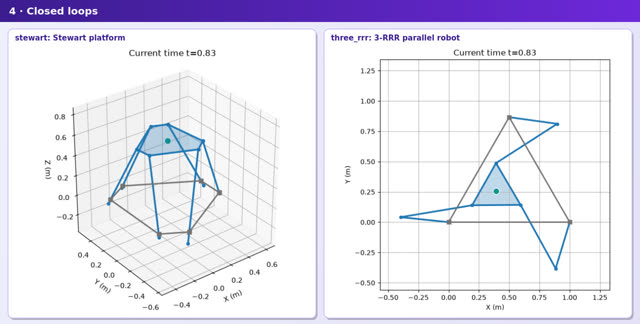
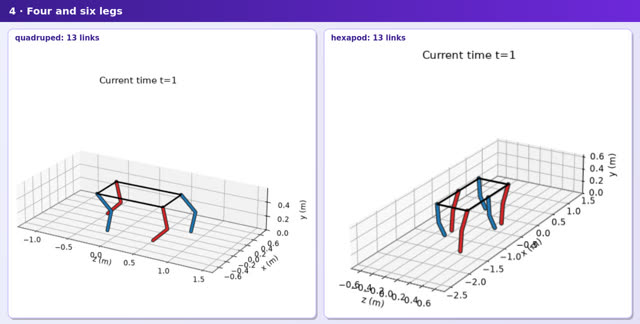
What ReDySim is, its four modules, and each of them at work.
About ReDySim
ReDySim (Recursive Dynamics Simulator) computes the dynamics of multibody systems with recursive algorithms based on the Decoupled Natural Orthogonal Complement (DeNOC). It began as MATLAB programs; the Python version keeps their model-file style and adds a GUI and reinforcement learning, each with its own manual.
The theory behind it, including the DeNOC-based dynamics of serial, tree-type and floating-base robots, is taught in the Robotics lecture notes, with the mathematical background in Mathematics for Robotics. Where to start at each level is under Learn; the lecture notes and video lectures are under Courses.
Find your starting point
Choose the module that matches your work. Fixed-base and Floating-base come in one download, so installing one gives you both.
 ReDySim RL
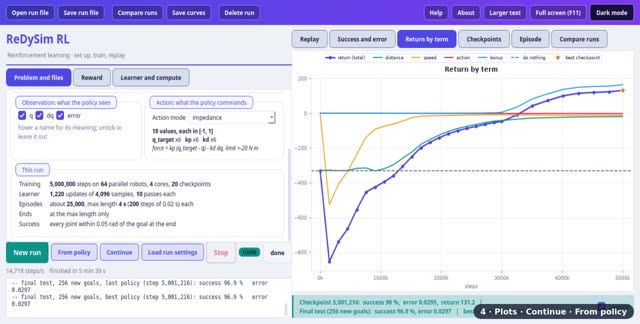
Reinforcement learning on the same simulators: set up, watch and compare training runs in a GUI, or use the environments in your own code.
 ReDySim GUI
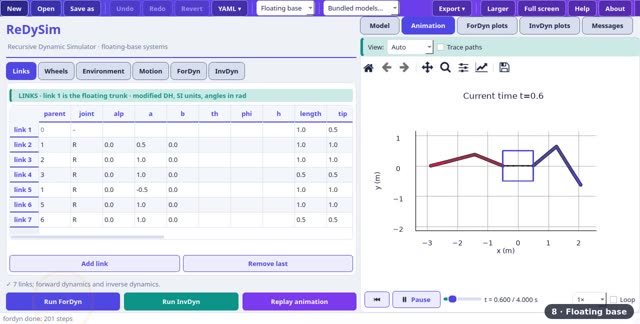
Both simulators in one window: build a robot in tables and forms, run it and read the results. No Python needed.
From simulation to a real three-joint arm with the same code: try controllers and RL policies in ReDySim, then run them on the robot.
Get started
Check platform availability and follow the setup guide for the module you chose above.
Find your downloadStart with an example in the module’s manual, then adapt the model to your own system.
Why ReDySim
Run dynamic analysis without creating a solid model: you describe the robot in a short text file, with its modified DH parameters, and run one command.
Any control algorithm and trajectory planner can be added with little effort, so researchers can include their customized methods.
ReDySim has shown considerable improvement over commercial software such as ADAMS and RecurDyn, and over algorithms in the literature, in computational time and numerical accuracy. The Python packages run the dynamics in compiled code: a simulation step takes microseconds.
Its algorithms are also used in RoboAnalyzer, a 3D model-based software for robot simulation.
Credits and licence
ReDySim is developed by the ReDySim Developers: see About for who they are, its history and how to cite it.
Questions, suggestions and feedback are welcome through the feedback form.
The Python packages are free for non-commercial use; the GUI is licensed separately, with a free trial and, for now, free licences on request. See Licence for the terms.