Desktop · Both kinds of robot
ReDySim GUI
Build a robot in tables and forms, see it drawn as you edit, and simulate it: arms and closed loops, and legged, wheeled and space robots. No code to write.
Download and installTry your first example
Requirements: Linux x86-64 (Windows and macOS coming soon) · no Python needed
Video tour
About ReDySim GUI
The GUI is built on the fixed-base and floating-base simulators of ReDySim. The packages compute the recursive dynamics, and the GUI reads and writes the same model files, so a robot made here also runs from the command line.
Edit the links in a table, and the controller, the motion and the external forces in forms. A wrong value turns red and says why. Type an angle as pi/2, radians(90) or simply 90d. Anything the forms do not show is kept when you save.
The Model tab draws the robot in its start pose, in front, top, side or isometric view. Click a row of the table and the link is highlighted. Closed loops are drawn assembled.
Forward dynamics with ready-made controllers, and inverse dynamics for a chosen motion. Open chains, branched robots and closed loops, with the Lagrange multipliers of the loops.
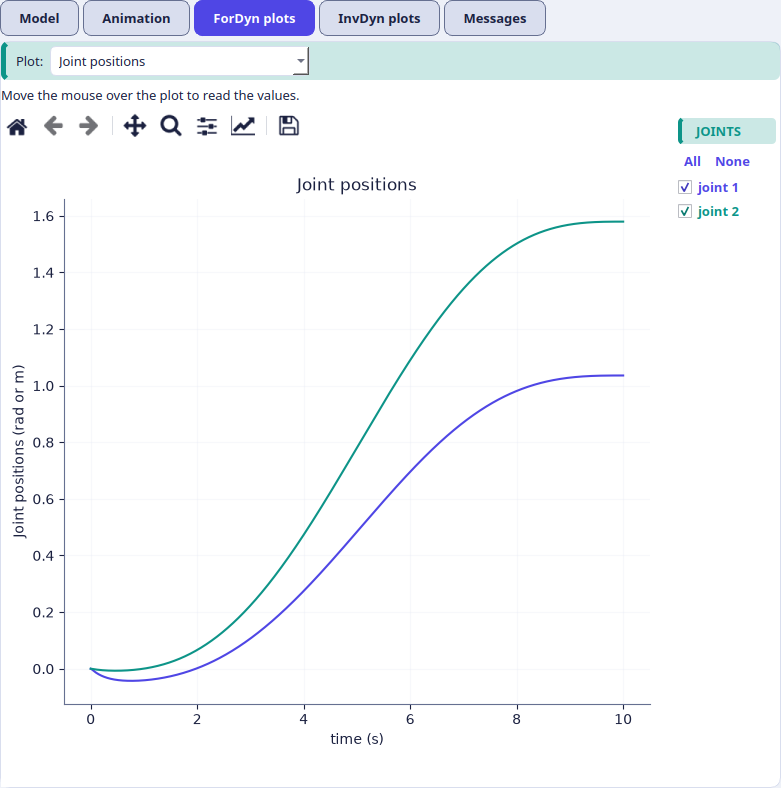
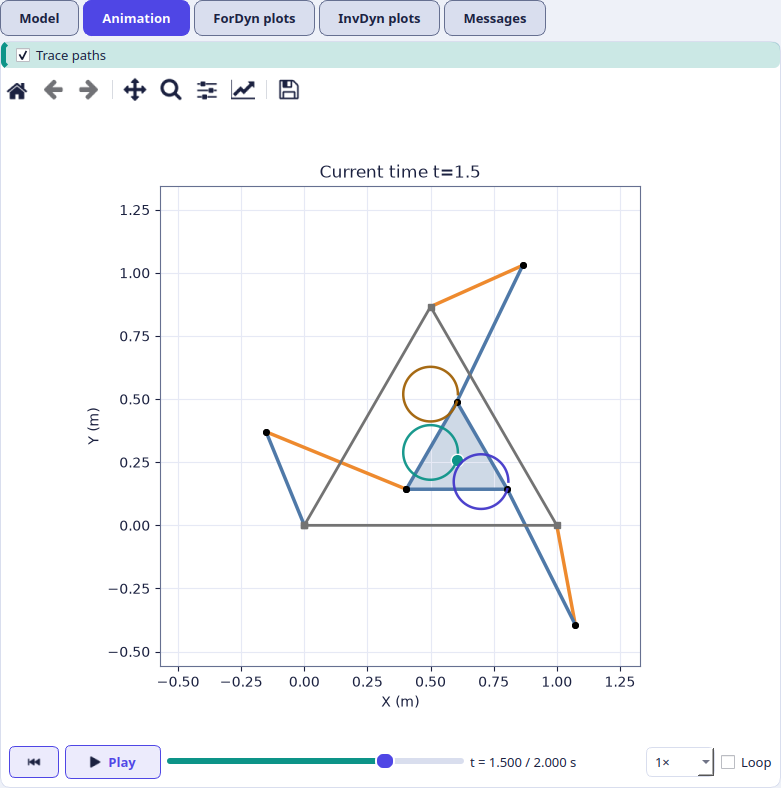
One plot at a time, with a hover readout and a checkbox for every joint. An animation player with a time slider, speed and standard views, and the path of the points you choose.
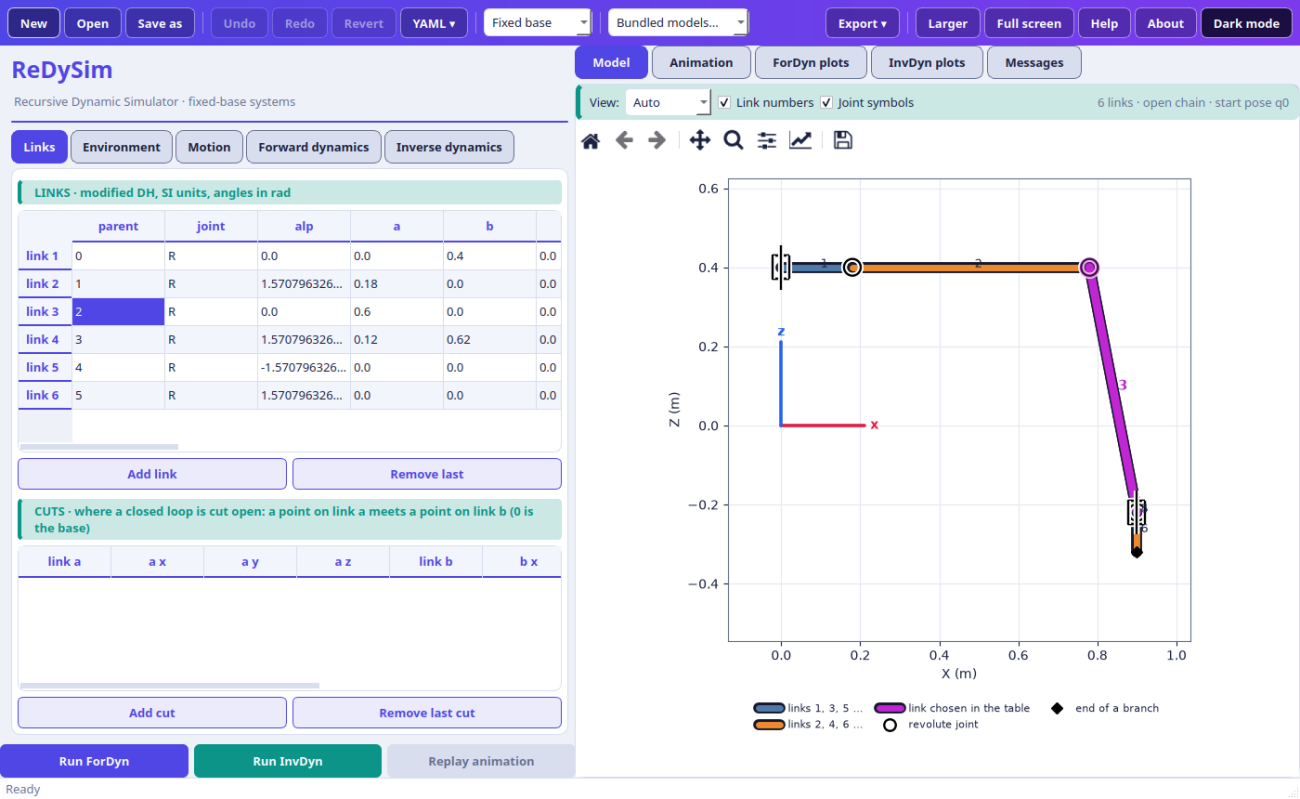
Two kinds of robot, one program
Robot arms, branched robots, and closed-loop and parallel mechanisms. Edit the links and the controllers in tables and forms, with the loop cuts, external forces and a task-space motion.
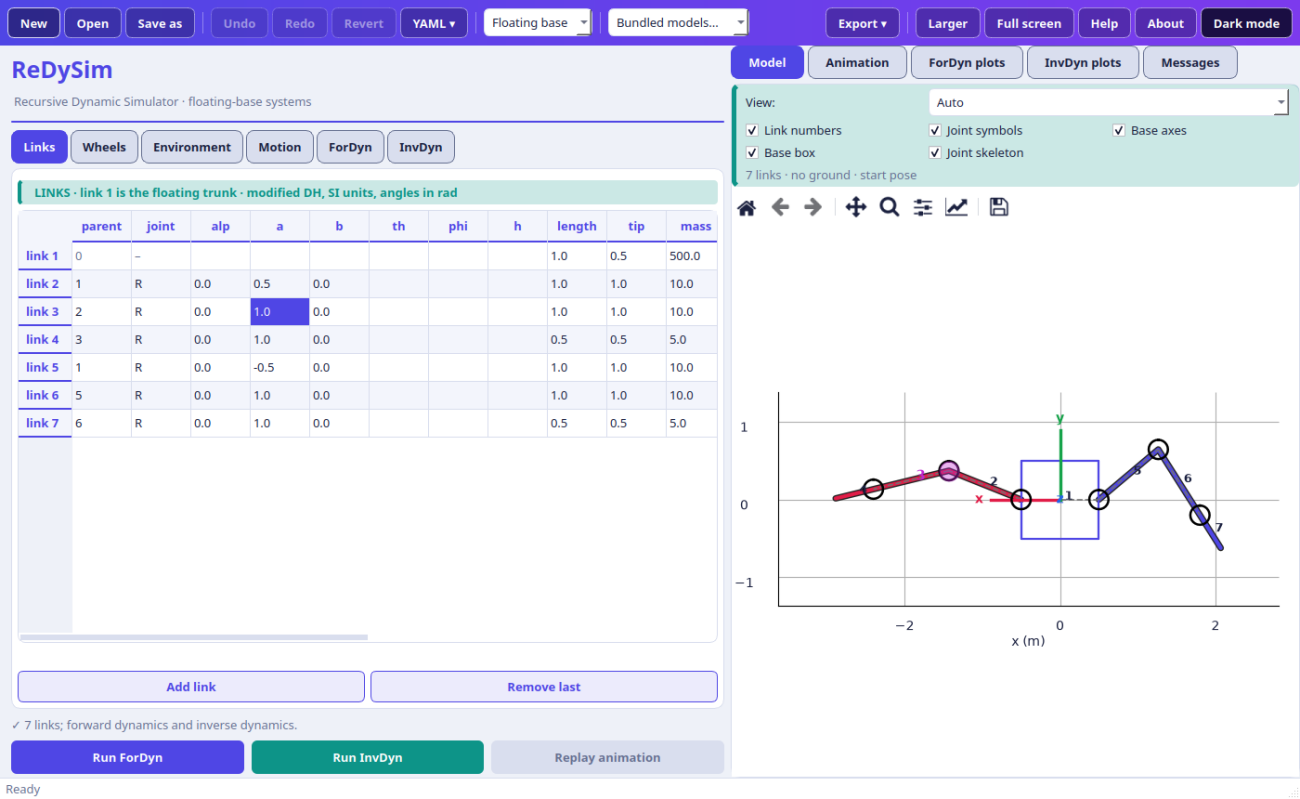
Fixed-base guideSpace robots, walking robots and wheeled robots, whose first link moves freely. Edit the links and wheels in tables, the environment and the run settings in forms, and the controllers and trajectories as text. The body is drawn as a box with its joints tied to it.
Floating-base guideA switch in the toolbar changes between the two windows, and a model file opens in the window it belongs to. Both share the plots, the animation player, the exports, the light and dark themes, and undo.
The model selector offers 19 fixed-base and 11 floating-base robots. Try the mobile manipulator, the wheel-legged robot or the quadcopter with its four rotor discs.
Inspect your results
Select joints in the plots, then explore the motion in the animation player.
Next steps
Build your own robot in the tables and forms, or start from an example.
Adapt your modelLicence
The GUI is licensed separately, developed by the ReDySim Developers. It is not covered by the non-commercial licence of the underlying packages (PolyForm Noncommercial). It starts as a 60-day free trial; after that, each copy needs a licence file for its computer. Licences are currently free on request: send the computer code the GUI shows, with your name and institution, to the ReDySim Developers through the feedback form. The download is on the Install page.