The Motion tab
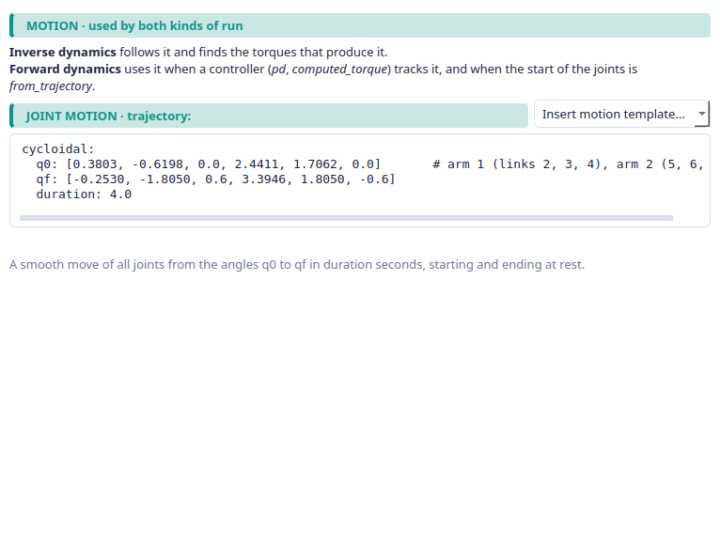
The Motion is the motion of the joints, the trajectory: part of the model file. Both kinds
of run use it:
- Inverse dynamics follows it and finds the torques that produce it.
- Forward dynamics uses it when a controller tracks it (the
pd,computed_torque,mobile_manipulator, andwheel_legcontrollers supportfollow: trajectory), and when the start of the joints isfrom_trajectory(the default forq0anddq0: the joints start where the motion starts). A base start set by a gait (from_gait) also takes its start from the walking motion. Thediff_driveandcar_drivealso use it when set tofollow: trajectory, as in the bundled Pioneer and four-wheel car. Thefreeandconstantcontrollers do not use it. A controller can instead be given fixed anglesq_d, and then the trajectory is not used.
The ForDyn and InvDyn tabs each say so under their fields, with a link to this tab.
The editor
The trajectory is the trajectory: part of the file, shown as a small text editor, with its
comments. It works like the controller:
- It applies while you type, a moment after you stop, and only when it is valid. It is then written into the model as one step you can undo.
- The package checks it. A missing key, the wrong number of angles (the robot has one angle per joint), a negative duration, an unknown kind or text that is not YAML turns the box red with the package's message under it, and nothing is written.
- Insert motion template… replaces the editor text with a template. The menu shows examples that fit the current robot and run settings. Walking gaits appear for compatible legged models.
| example | what it is |
|---|---|
cycloidal |
a smooth move of all joints from the angles q0 to qf in duration seconds, starting and ending at rest. The example uses the right number of joints, and the length of the run as the duration |
joint_waypoints |
timed joint poses, one value per joint in each schedule row; smooth motion starts and ends at rest between poses |
constant |
the joints held at the angles q |
car_path |
timed speed and steering commands for a four-wheel car |
biped_gait, quadruped_gait, hexapod_gait |
a walking motion: step_time, stride, foot_height, hip_height, hip_x0, with the values of the bundled robots. The lengths of the thigh and the shank come from the links, so a gait appears only for a compatible model |
- An empty editor means no joint motion. A model without one can still run forward
dynamics, with a controller that is given its own angles (
q_d). - The motion cannot be removed while the model has inverse dynamics settings, because they need it: the box says so. Remove those first (open the file with YAML > Open in a text editor).
- A
custommotion (your own Python function) is not run by the GUI; use the command line.
Wheeled and flight examples
Pioneer tracks wheel speed. The four-wheel car tracks rear wheel speed and front steering position. Each uses its Motion-tab trajectory in both dynamics modes.
The mobile_manipulator_motion and wheel_leg_motion entries in the bundled examples
are compact wheel-speed motions. Wheel angle comes from integrating speed. The mobile
manipulator moves its arm after stopping; the wheel-legged robot bends its knees while
rolling. Each example uses one motion for forward and inverse dynamics.
The quadcopter runs forward dynamics with its own flight controller. Its commands are position and yaw waypoints in the controller settings.