Export plots, videos and numbers
The Export menu is available after a run.
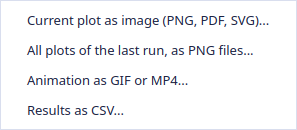
| item | what it saves |
|---|---|
| Current plot as image | the plot (or the animation frame, or the Model drawing) on view, as PNG, PDF or SVG |
| All plots of the last run, as PNG files | every plot of the last run, into a folder you choose |
| Animation as GIF or MP4 | the whole motion, in real time at about 25 frames a second, with a progress bar and a Cancel button |
| Results as CSV | one row per time step: t, then q1..., dq1..., ddq1..., tau1..., and, for a closed loop, lambda1... |
Images are always made on a white background, with the joints named in a legend, whichever
theme is on screen, and videos too are on white, so they can go straight into a report or
slides. MP4 needs ffmpeg; without it only GIF is offered.